Do you know how to use Instagram for business, marketing, and advertising?
Instagram is one of the world’s most powerful marketing platforms for building communities, generating leads, increasing sales, and creating brand awareness.
At Voice123, we’ve seen how businesses that learn how to use Instagram Stories and how to advertise on Instagram are able to achieve their marketing goals.
How to use Instagram for marketing
Here’s a quick breakdown of how to create an Instagram business account and learn how does Instagram work.
- Create an Instagram Business account.
- Optimize your profile with keywords and a clear call-to-action.
- Publish a mix of Reels, Stories, carousels, and feed posts.
- Use relevant hashtags to increase discoverability.
- Engage with your audience through comments and direct messages.
- Track performance using Analytics.
- Run targeted advertising campaigns.
- Refine your strategy based on insights and audience behavior.
What is Instagram?

Instagram is a social media platform owned by Meta that allows users and businesses to share photos, videos, Stories, Reels, live streams, and direct messages. While it originally focused on photo sharing, it has evolved into a discovery platform where people search for products, services, creators, businesses, and entertainment.
The platform combines visual storytelling with shopping, advertising, community building, and content discovery in one place. This makes it one of the most versatile video marketing tools available.
So how does Instagram work?
How does Instagram work?
Understanding how does Instagram work is crucial because the platform uses advanced algorithms to decide which content each user sees based on their interests, activity, relationships, and engagement history.
Instagram Feed
The feed is where followers see content from accounts they already follow, alongside recommended posts from similar creators and businesses.
High-quality images, informative carousels, and engaging videos all perform well here.
Reels
Reels have become Instagram’s fastest-growing content format.
These short videos are heavily promoted by Instagram and are one of the best ways to reach people who don’t already follow your brand.
Check out this guide on Instagram Reels in marketing.
Stories
Stories appear at the top of the app and disappear after 24 hours unless saved as Highlights.
They create a casual, behind-the-scenes connection with your audience.
We’ll explore what are Instagram Stories and how to use Instagram Stories later in this guide.
Explore
The Explore page recommends content based on each user’s interests.
Appearing on Explore dramatically increases your reach beyond your existing followers.
Search
Instagram has become its own search engine. Users now look for:
- products
- restaurants
- services
- tutorials
- travel ideas
- creators
- businesses
This means optimizing your profile and captions with relevant keywords is becoming just as important as learning how to use hashtags on Instagram.
Direct Messages
Direct Messages (DMs) are one of Instagram’s strongest conversion tools.
Customers increasingly ask questions, request quotes, and even complete purchases through private conversations.
For businesses, responding quickly builds trust and increases conversion rates.
How to use Instagram for business
Learning how to use Instagram for business is about much more than posting content. Successful businesses use it as a complete marketing ecosystem where every feature supports a specific business objective.
Here are some ways you can use Instagram’s advertising features to meet your marketing objectives.
Build brand awareness with Reels
Instagram Reels are one of the fastest ways to introduce your brand to new audiences. Because they’re shown in users’ feeds, the Reels tab, and the Explore page, they can unlock new audiences.
Create short educational videos, product demonstrations, industry tips, or behind-the-scenes clips to increase visibility and encourage new followers to discover your brand.
Generate leads with a business account
One of the biggest advantages of learning how to create an Instagram Business account is access to features designed for lead generation. Add contact buttons, your website, booking links, and action buttons directly to your profile so potential customers can easily request quotes, schedule consultations, visit your online store, or sign up for your email list without leaving Instagram.
Increase sales with Instagram Shopping
Instagram Shopping makes it easier for customers to move from discovery to purchase. Businesses can tag products in posts, Reels, and Stories, allowing users to view pricing, product details, and purchase options with just a few taps.
Pair product tags with customer testimonials, product demonstrations, and educational content to build trust before asking people to buy.
Build a community with DM’s
Direct Messages help businesses create stronger relationships with their audience. Use content like Reels and Stories to run polls, share updates, or collect feedback using interactive stickers. Then continue the conversation through DMs by answering questions, providing customer support, or sending personalized recommendations.
Measure success with analytics
Knowing how to use Instagram Analytics allows you to understand which content is driving results. Monitor metrics like reach, engagement, profile visits, website clicks, and follower growth to identify your best-performing posts and refine your marketing strategy over time.
Group content with Instagram Guides
Instagram Guides are a useful content format for organizing valuable information into easy-to-read collections. Businesses can use Instagram Guides to curate:
- product recommendations
- gift guides
- beginner tutorials
- travel itineraries
- educational resources
- customer success stories
Because Guides group related content together, they also increase time spent on your profile and encourage visitors to explore more of your content.
How to create an Instagram business account
Creating an Instagram Business account is your first step toward unlocking professional marketing features, audience insights, and brand growth tools.
1. Set up: Download the app or visit Instagram.com to create your account.
2. Switch Profile: Go to Settings > Account Type and Tools and select Switch to Professional Account.
3. Select Business: Choose “Business” to access the full range of marketing features.
4. Categorize: Select the category that best describes your company to help the platform recommend your content to relevant audiences.
5. Optimize: Complete your profile with a professional photo, keyword-rich business name, website, description, contact info, and location. Ensure visitors immediately understand your brand’s value.
6. Dashboard: Access the Professional Dashboard to monitor performance metrics, review audience insights, and manage advertising campaigns as your strategy evolves.
What are Instagram Stories?
Understanding what are Instagram Stories is essential because they play a completely different role from regular posts.
Instagram Stories are vertical photos or videos that disappear after 24 hours unless you save them as Highlights. They appear at the top of the app and provide a more informal, real-time way to connect with your audience. Stories include interactive features like:
- Polls
- Questions
- Quizzes
- Countdowns
- Emoji sliders
- Music
- Stickers
- Links
How to use Instagram Stories
Learning how to use Instagram Stories can dramatically increase audience engagement because Stories encourage quick interactions instead of passive scrolling. Some of the most effective Story ideas include:
- Behind-the-scenes videos
- Daily business updates
- Product launches
- Customer testimonials
- Frequently asked questions
- Team introductions
- Event coverage
- Limited-time offers
- Polls and quizzes
- Countdown timers for launches
If you’re producing a commercial, you could share script previews, recording sessions, video editing snippets, and the finished campaign over several Stories, giving followers an inside look at your creative process.
How to use Instagram Stories for marketing
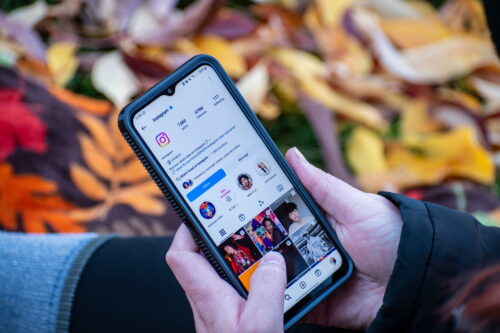
The key to learning how to use Instagram Stories for marketing is creating a strategy that uses Stories throughout the customer journey.
Stories are particularly effective because they feel immediate and personal, making them ideal for nurturing relationships rather than hard selling. A simple Story marketing strategy might look like this:
- Monday: Behind-the-scenes content
- Tuesday: Educational tip
- Wednesday: Customer testimonial
- Thursday: Poll or Q&A
- Friday: Product feature
- Weekend: Lifestyle or team content
Interactive stickers deserve special attention because every poll, quiz, or question encourages engagement. The more people interact with your Stories, the more likely Instagram is to continue showing them your future content.
How to use hashtags on Instagram
Although Instagram’s search capabilities have improved dramatically, understanding how to use hashtags on Instagram can still help increase content discoverability. Today’s best practice includes using a variety of these hashtags:
- Industry hashtags
- Niche hashtags
- Community hashtags
- Branded hashtags
- Location hashtags (when appropriate)
For example, a marketing agency might combine broader tags like #DigitalMarketing with more specific hashtags related to its services or audience.
It’s also important to remember that hashtags work best when paired with strong captions, relevant keywords, engaging visuals, and content people genuinely want to save and share.
How to use Instagram Analytics
As you start learning how to advertise on Instagram, you need to identify what’s working—and what isn’t. That’s where how to use Instagram Analytics becomes essential.
Instagram Analytics, also known as Insights, is available on Business and Creator accounts. It provides valuable data about your audience, content performance, and overall account growth, helping you make informed marketing decisions instead of relying on guesswork.
| Metric | What it tells you | Why it matters |
| Reach | How many unique people saw your content | Measures brand awareness |
| Impressions | Total number of views | Shows overall visibility |
| Engagement Rate | Likes, comments, shares and saves | Indicates content quality |
| Profile Visits | Visits to your profile | Shows interest in your business |
| Website Clicks | Clicks to your website | Measures traffic generation |
| Follower Growth | New followers over time | Tracks audience growth |
| Story Views | Story performance | Identifies engaging Story content |
| Reel Plays | Reel views | Measures discoverability |
Instead of just focusing on vanity metrics such as likes, pay attention to content that generates saves, shares, comments, and website clicks. These actions often signal that your content is genuinely valuable and is moving people closer to becoming customers.
How to advertise on Instagram
Social media advertising allows businesses to target highly specific audiences based on demographics, interests, online behavior, location, and even previous interactions with your brand.
Unlike simply boosting a post, creating campaigns through Meta Ads Manager gives you far greater control over your advertising objectives and performance. Common campaign objectives include:
- Brand awareness
- Website traffic
- Lead generation
- App installs
- Video views
- Sales
- Conversions
Successful Instagram ads don’t look like traditional advertisements. They blend naturally into users’ feeds while offering something valuable, whether that’s useful information, entertainment, or a solution to a problem.
Before launching any campaign, make sure you define your objective, audience, budget, and produce creative assets with a compelling CTA.
If you’re promoting video content, webinars, podcasts, or social campaigns, professional voice overs can significantly improve the quality of your advertisements.
Need a professional voice actor?
Voice123 makes it easy to find experienced voice actors who can help brands create engaging Instagram ads, promotional videos, and branded content that stands out.
How to create Instagram Stories ads
Learning how to create Instagram Stories ads is one of the fastest ways to capture attention because Stories occupy the entire mobile screen. These full-screen vertical ads appear between users’ Stories and feel like a natural part of the browsing experience.
Creating an effective Stories ad involves more than simply resizing an existing image. Instead, focus on:
- Eye-catching visuals within the first few seconds
- Short, easy-to-read text
- Strong branding
- Clear call-to-action
- Mobile-first design
- Vertical video format (9:16)
Final Thoughts
Learning how to use Instagram effectively is about understanding how every feature works together to support your marketing goals.
And the right voice can make your message even more memorable. Voice123 helps businesses find experienced professional voice actors who can bring social campaigns, commercials, and digital marketing projects to life with authentic, engaging performances.
Post your next project today or use Voice123 Enterprise for complete project management.
FAQs
Start by creating an account, completing your profile, and following accounts that interest you. If you’re using Instagram for marketing, switch to a Business account, post consistently, engage with your audience, and monitor Analytics to improve your results.
The 5-3-1 rule is a community engagement strategy. Before promoting your own content, interact with other accounts by leaving five meaningful comments, sharing three valuable pieces of content, and creating one original post.
Do: Post consistently, respond to comments, create valuable content, use high-quality visuals, monitor analytics, and engage with your audience.
Don’t: buy followers, overuse hashtags, ignore messages, publish low-quality content, or focus only on selling your products or services.
Many users prefer Instagram because it’s highly visual, mobile-first, and designed around images and short-form video. Businesses also value Instagram’s strong engagement, powerful advertising tools, influencer ecosystem, and content discovery features.