How to livestream on social media as a voice actor
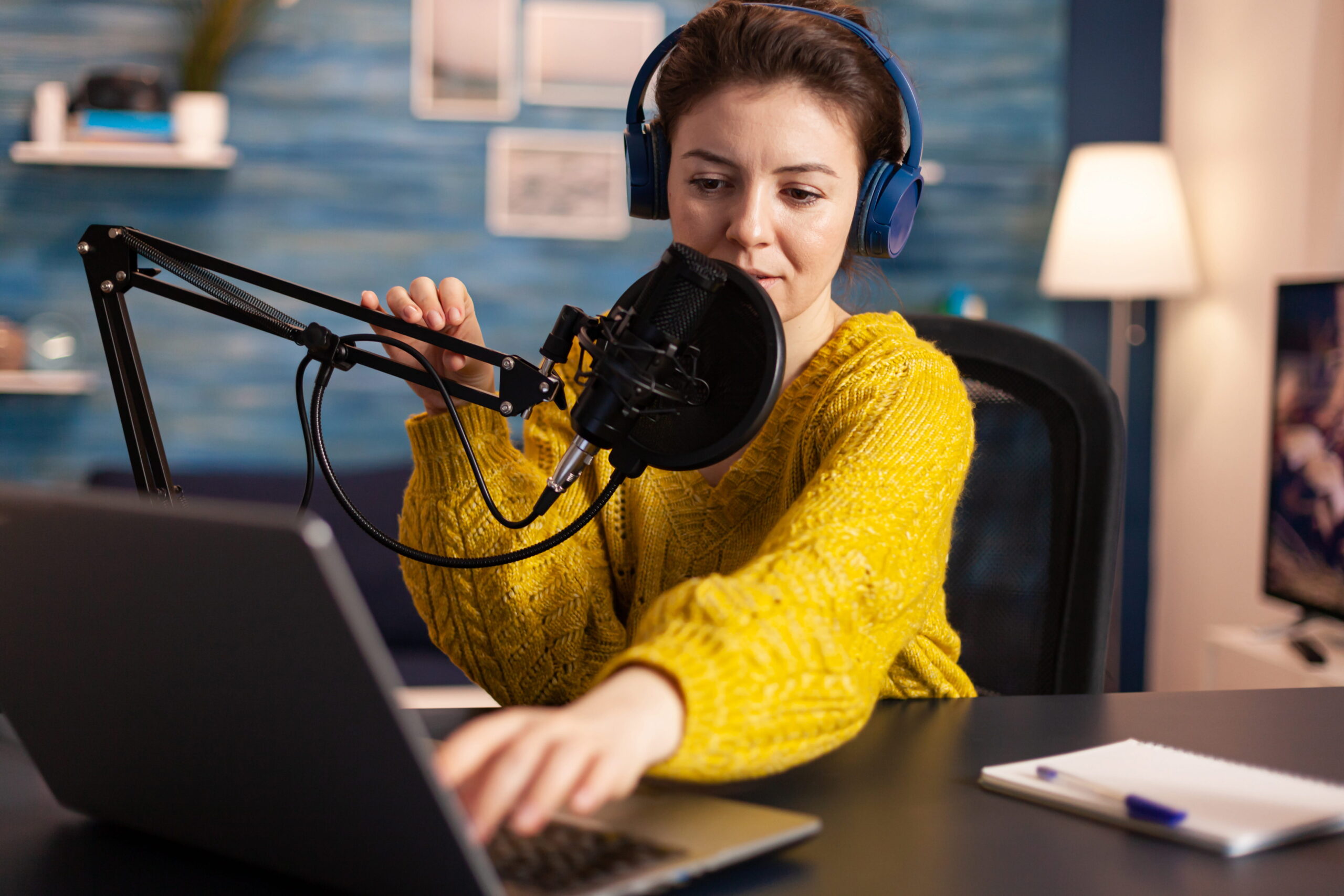
As a voice actor, learning how to livestream is one of the fastest ways to grow an audience, attract clients, build a recognizable brand, and become a voice over influencer.
So today we’re going to show you how to livestream, the best live streaming platforms for voice actors, what to actually do during a livestream to engage audiences, and how to turn livestreaming into real opportunities.
Table of Contents
What is livestreaming?
The best livestreaming platforms
How to livestream on social media
Livestreaming tips for voice actors
How to livestream with Streamlabs and Restream
How to record a livestream
What is live streaming?
Live streaming is broadcasting audio or video in real time over the internet, allowing viewers to watch, comment, and interact instantly. A livestream enables direct connection with followers, which is especially powerful for voice actors.
Unlike edited content, live streaming shows your voice, confidence, and creativity in the moment. That authenticity and spontaneity are what attract followers and clients, helping you brand yourself as a voice actor and even get booked for voice over jobs.
So now that you know what is live streaming, what are the best live streaming platforms, and how do you use them?
The best live streaming platforms for voice actors
Choosing the right livestream platform depends on your goals: growth, branding, or monetization. The best live streaming platforms for voice actors include:
- YouTube for long-form content and discoverability
- TikTok for fast growth and algorithm reach
- Instagram for branding and community
- Twitch for recurring shows and monetization
Each platform supports livestreaming, but each platform has a different audience, requirements, and benefits. Here’s more on how to livestream on different platforms.
How to livestream on YouTube
If you’re learning how to livestream on YouTube, think education and authority. Your livestreams should be confident, engaging, and offer practical, resourceful content.
How to go live on YouTube:
- Enable live streaming in YouTube Studio
- Click “Go Live”
- Add a title, description, and thumbnail
- Connect streaming software if needed
YouTube works well for longer live streams like audition breakdowns, gear reviews, and live coaching sessions.
How to livestream on TikTok
Understanding how to livestream on TikTok is crucial if growth is your main goal. TikTok pushes live streaming, especially when engagement is high. Voice actors thrive here by doing fast reads, challenges, and interactive content.
Requirements for how to livestream on TikTok:
- You need at least 1,000 followers
- Strong hooks in the first few seconds are critical
- Entertaining content that viewers relate to.
- Engage with viewers through the live chat and comments.
TikTok is one of the best live streaming platforms for discovery, and it’s also a great way to make money on TikTok since followers can send you gifts during a livestream.
How to livestream on Instagram
If you want to strengthen your personal brand, learning how to livestream on Instagram is a great way to connect with clients and improve your social media presence.
Instagram Live is ideal for:
- Q&As
- Behind-the-scenes sessions
- Client-facing conversations
- Collaborations
Shorter, consistent livestreams work best on Instagram and help keep your profile active.
How to stream on Twitch
Many voice actors underestimate Twitch, but learning how to stream on Twitch opens the door to consistent monetization.
How to livestream on Twitch works best when you:
- Run scheduled weekly shows
- Build recurring segments
- Treat your stream like live radio
Twitch is one of the best livestream platforms for subscriptions, tips, and community building.
Livestreaming tips for voice actors
Here are a few ideas for your next livestream to keep audiences engaged while showcasing your talents to potential clients.
Livestream character reads
Character reads are instant attention-grabbers.
- Ask viewers for character types or emotions
- Read the same line in multiple styles
- Switch voices quickly to show range
This works well on TikTok and Instagram livestreaming.
Livestream duets and collaborations
If you’re mastering how to livestream on TikTok, duets are powerful.
- React to another creator’s video live
- Read dialogue opposite a prerecorded clip
- Invite another voice actor into your live stream
Collabs expose you to new audiences instantly.
Livestream script reads
Have viewers drop lines in the chat.
- Read them as-is
- Improve them live
- Explain your choices
This positions you as a professional and attracts clients silently watching your livestream.
Audience-directed livestream reads
Let viewers direct you in real time:
- “More dramatic or more casual?”
- “Commercial or animation?”
- “Faster or slower?”
Audience control boosts engagement on every livestream platform.
Behind-the-scenes streaming
People love process.
- Warm-ups
- Script marking
- Take selection
This content works especially well if you’re learning how to livestream on YouTube or how to stream on Twitch, where longer sessions perform better.
Games and voice challenges
Gamify your live streaming with:
- Tongue twister challenges
- Accent roulette
- “One line, five genres”
Fun keeps retention high and makes your livestream shareable.
Pro tip: Always check scripts and materials you use for confidentiality, copyright protection, or any legal red tape before using them in your livestreams.
How to live stream with Streamlabs and Restream
Streamlabs is streaming software that lets you control audio, visuals, and monetization from a single dashboard.
Step 1: Create a Streamlabs account
Sign up and connect the platform you want to use for live streaming (YouTube, Twitch, TikTok, or Instagram via workarounds).
Step 2: Set up your audio
Select your microphone and do a test recording.
Step 3: Add basic overlays (optional)
Mention your name or handle and the “Now Live” text.
Step 4: Enable alerts and donations
Turn on alerts for:
- New followers
- Tips
- Subscriptions
Step 5: Go live
Click “Go Live” inside Streamlabs, and your live stream will broadcast to your selected platform.
How to use Restream
If you want to expand your reach, Restream solves the “where should I go live?” problem.
Step 1: Create a Restream account
Connect all your livestream platforms (YouTube, Twitch, Facebook, LinkedIn, etc.).
Step 2: Connect Restream to Streamlabs
Select Restream as your streaming destination inside Streamlabs.
Step 3: Set your title and description once
Restream pushes the same livestream to every connected platform.
Step 4: Go live everywhere at once
Start one live stream and appear on multiple platforms simultaneously, saving time and maximizing exposure.
How to record a live stream
Learning how to record a live stream is essential because it lets you turn a single session into weeks of content.
How to record a live stream in Streamlabs
Step 1: Enable recording
In the Streamlabs settings, turn on “Automatically Record While Streaming.”
Step 2: Choose your file format and location
Select where recordings are saved so you can easily find and edit them later.
Step 3: Go live as normal
Streamlabs will record your live streaming session in the background.
Step 4: Edit and repurpose
After your live stream, clip:
- Strong character reads
- Funny moments
- Teaching segments
Turn these into Shorts, Reels, TikToks, or YouTube clips.
How to record a live stream directly on social media
Most livestream platforms also support native recording:
- YouTube automatically saves your livestream
- Twitch archives streams by default
- Instagram and TikTok allow replay downloads (depending on settings)
Always double-check that the livestream recording is enabled before you go live.
Tip for voice actors
When recording live streaming sessions:
- Pause briefly between segments
- Repeat your hook occasionally
- Speak clearly when transitioning topics
This makes your recordings easier to clip and reuse.
FAQ's
Pick one platform, learn how to livestream, go live weekly, and improve as you go by adjusting your content to your audience and finding diverse ways to showcase your skills to clients and build your following.
Most platforms offer free live streaming. You only need a device, internet, and a livestream platform.
A good quality microphone, a strong internet connection, a streaming device like your smartphone, and a platform account linked to your social media to log in and start the livestream.
You can use any device for livestreaming, from a smartphone to a laptop or even a desktop setup.
Learning how to livestream as a voice actor can help you grow your online following, connect with potential clients, and build a recognizable brand as a talented voice actor.
Conclusion
Learning how to livestream is about consistency, creativity, and connection. Voice actors who embrace livestreaming build trust faster, grow audiences organically, and open doors to clients and income.
A live stream can attract new followers, quietly impress potential clients, and generate clips you can reuse across social media. When you understand how to livestream with purpose, you’re not just going live. You’re creating repeat exposure, long-term visibility, and more opportunities to be seen, heard, and remembered.
And when you’re ready to take the next step in your voice acting career, check out this post on how to find voice over jobs for voice actors on Voice123.

How to get into voice acting
Welcome to the Voice over Guide, where we’ll offer educational resources
on how to get into voice acting and establish your voice over business, for free.